Digital tools · France
ANSSI
Agence nationale de la sécurité des systèmes d’information
Cybersecurity alerts, guidance, publications and services from France's national authority.
Read the record →Visit cyber.gouv.fr ↗Web standards, software, development, archives and secure communication. Explore 40 selected destinations with their publisher and official domain.

Web standards, software, development, archives and secure communication. Each listed website retains its own publisher and official destination. Read the individual records in English or switch to their French counterpart.
Compare two or three resources →
Browse each subject, compare the resources and open an English record with publisher details and practical checks.
Rights, official procedures, public data and French institutions.
Explore this subject → 14 websites · bilingual recordsHealth information, prevention, care and support resources.
Explore this subject → 14 websites · bilingual recordsCareers, job search, training, business creation and management.
Explore this subject → 30 websites · bilingual recordsStudy guidance, courses, libraries and open knowledge.
Explore this subject → 17 websites · bilingual recordsGeneral news, public broadcasting and media literacy.
Explore this subject → 14 websites · bilingual recordsMuseums, archives, creative work, events and cultural heritage.
Explore this subject → 22 websites · bilingual recordsSearch engines, AI assistants and research tools.
Explore this subject → 40 websites · bilingual recordsWeb standards, software, development, archives and secure communication.
Explore this subject → 13 websites · bilingual recordsTransport, maps, destinations and journey planning.
Explore this subject → 15 websites · bilingual recordsPurchases, energy, housing, renovation and consumer protection.
Explore this subject → 17 websites · bilingual recordsScientific research, climate, weather, geography and natural risks.
Explore this subject → 12 websites · bilingual recordsInternational institutions, global data and cooperation.
Explore this subject → 10 websites · bilingual recordsSports organisations, competitions and outdoor activities.
Explore this subject →Web standards, software, development, archives and secure communication. Each record identifies its publisher and official destination, with related resources and practical checks.
Agence nationale de la sécurité des systèmes d’information
Cybersecurity alerts, guidance, publications and services from France's national authority.
Read the record →Visit cyber.gouv.fr ↗Équipe Audacity
Audio recording and editing software, with learning resources and downloads from its publisher.
Read the record →Visit audacityteam.org ↗Bouygues Telecom
Compare broadband and mobile plans, eligibility and support on the operator's official site.
Read the record →Visit bouyguestelecom.fr ↗Can I use
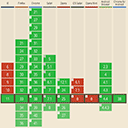
Browser support tables for web features, useful when checking compatibility.
Read the record →Visit caniuse.com ↗Commission nationale de l’informatique et des libertés
French guidance on digital rights, data protection, procedures and practical tools.
Read the record →Visit cnil.fr ↗GIP ACYMA
French help and prevention resources for common online threats affecting people and organisations.
Read the record →Visit cybermalveillance.gouv.fr ↗Python Software Foundation
Official Python language documentation, tutorials and standard library references.
Read the record →Visit docs.python.org ↗Meta
Profiles, pages, groups and events; check publication visibility and information sources.
Read the record →Visit facebook.com ↗Association Framasoft
French nonprofit offering free software, online services and digital commons resources.
Read the record →Visit framasoft.org ↗Free
Broadband and mobile offers from the operator; check eligibility, prices and terms.
Read the record →Visit free.fr ↗Équipe GIMP
Free image editing software with official downloads, documentation and version information.
Read the record →Visit gimp.org ↗GitHub
Platform for hosting code, collaborating and publishing software projects.
Read the record →Visit github.com ↗GitLab
Platform for managing code, projects and collaborative software development.
Read the record →Visit gitlab.com ↗Official Chrome downloads, browser features, extensions and support.
Read the record →Visit google.com ↗Projet Inkscape
Free vector drawing software with documentation and official downloads.
Read the record →Visit inkscape.org ↗Meta
Photos, short videos and messages; check a post's source and audience before sharing.
Read the record →Visit instagram.com ↗Internet Archive
Digital library preserving web pages, books, software, audio and video.
Read the record →Visit archive.org ↗The Document Foundation
Free office suite for documents, spreadsheets and presentations.
Read the record →Visit fr.libreoffice.org ↗Professional profiles, organisations and jobs; confirm important claims with their source.
Read the record →Visit linkedin.com ↗PHP Documentation Group
Official PHP documentation, function references, examples and version compatibility.
Read the record →Visit php.net ↗Mastodon gGmbH et communautés fédérées
Federated social network; choose a server according to its community and rules.
Read the record →Visit joinmastodon.org ↗Mozilla et communauté contributrice
Reference documentation for HTML, CSS, JavaScript, web APIs and development practices.
Read the record →Visit developer.mozilla.org ↗Microsoft
Official Edge browser features, downloads and synchronisation information.
Read the record →Visit microsoft.com ↗Mozilla Foundation et Mozilla Corporation
Project behind Firefox and resources for an open, accessible web.
Read the record →Visit mozilla.org ↗Mozilla
Official Firefox browser downloads, privacy features and support.
Read the record →Visit firefox.com ↗Projet OBS
Free software for recording and live streaming video, with configuration guides.
Read the record →Visit obsproject.com ↗Orange
Official broadband and mobile offers, account and help; check plan terms before subscribing.
Read the record →Visit orange.fr ↗OWASP Foundation
A foundation and open projects for understanding application security, consulting guidance and putting technical risks in context.
Read the record →Visit owasp.org ↗Discover and save visual ideas; find the original source and check image rights before reuse.
Read the record →Visit pinterest.fr ↗Apple
Apple's Safari browser features, reading tools and privacy settings.
Read the record →Visit apple.com ↗SFR
Official broadband and mobile plans, network information, customer account and support.
Read the record →Visit sfr.fr ↗Signal Foundation
Encrypted individual and group messaging on phones and computers.
Read the record →Visit signal.org ↗Snap
Mobile visual messaging; review visibility and location settings before posting.
Read the record →Visit snapchat.com ↗Stack Exchange
Technical questions and answers to compare with current official documentation.
Read the record →Visit stackoverflow.com ↗TikTok
Short video platform; identify the creator and cross check claims before sharing.
Read the record →Visit tiktok.com ↗VideoLAN
Free media player supporting many audio and video formats.
Read the record →Visit videolan.org ↗World Wide Web Consortium
Organisation developing open standards used to build the web.
Read the record →Visit w3.org ↗World Wide Web Consortium
Guidance and tutorials for accessible web content, images, forms and media.
Read the record →Visit w3.org ↗Meta
Individual and group messaging and calls; check recipients and forwarded content.
Read the record →Visit whatsapp.com ↗Corporation for Digital Scholarship
Free tool for collecting, organising, citing and sharing bibliographic references.
Read the record →Visit zotero.org ↗Try a broader name, publisher or subject.
These websites belong to our network. Each has its own editorial scope; check its current information before relying on it.
The newest file is not always enough to restore your data. The backup type determines which components recovery needs.
| Situation | What changes | Useful check |
|---|---|---|
| Full | Copies all selected data. | Check the scope and excluded folders. |
| Incremental | Changes since the previous backup. | Retain the starting full backup and required increments in order. |
| Differential | Changes since the latest full backup. | Retain the starting full backup and chosen differential. |
Test a non-sensitive file in a separate folder without overwriting the original. Record the recovered version and errors. Disconnect the medium after use: a connected copy can also be affected by an incident.
Documentation : Cybermalveillance.gouv.fr — Sauvegardes ↗ · · Read the reference record →
Choosing software includes installation, permissions, working format and recovery of the result. Run a representative trial before relying on it for important documents.
CSV exchanges a text table; it does not represent an entire Calc workbook.
A question to resolve: A workbook contains Data, Calculations and Sources. Does one CSV transmit all three sheets?
Within a Zotero library, one item can belong to several collections.
A question to resolve: An item appears in “Essay” and “Thesis”. Should two items be merged?
Alternative text depends on how an image is used in the page.
A question to resolve: A lone magnifying glass starts search. Is “grey magnifier” useful?
Event, publication, capture and access dates do not describe the same moment. Keep these four references separate when citing an archived page.
A question to resolve: Fictional example: an article dated the 3rd is captured on the 8th and you consult it on the 20th. Which date establishes when the event occurred?
| Task | Information to retain | Starting point |
|---|---|---|
| Check a web function | Syntax, version, examples, limitations | MDN Web Docs |
| Check compatibility | Exact feature and target browsers | Can I use |
| Prepare a shared document | Working format, export, opening test | LibreOffice |
| Check synchronisation | Account, data types and device | Microsoft Edge |
| Check linked devices | Device list and access still needed |
Record version, download source, licence, required permissions and export method. Test the final file on the recipient’s platform; opening it in the editor does not validate the exchange.
You are choosing a tool for a document or project. Check installation, work, export and use by the recipient.
Locate official download, version, permissions and licence. Distinguish an advertisement from the project destination.
Use a small document containing the required features. Keep its working format.
Open the export in the recipient’s environment. Check fonts, links, formulas, media and elements that must remain editable.
A retained source file, tested export and note on version and settings.
A file opening on its creator’s computer may behave differently for its recipient.
Licensing and security are separate questions. Inspect provenance, maintenance, version and suitable permissions.
Fonts, formulas, media and access rights can change during exchange. The recipient needs to be able to use the intended result.
Check account-associated access separately. Local uninstalling does not describe every service connection.
These resources answer different questions. Match one to your task, then make the suggested check before relying on its result.
Read an HTML, CSS or JavaScript reference with examples.
Check first Check the feature and support in target browsers.
Find MDN Web Docs →Find tutorials for images, forms and media.
Check first Test the result through real user journeys, beyond a rule alone.
Find W3C Web Accessibility Initiative →Read the French data authority’s guidance and procedures.
Check first Identify the data controller and the request to send.
Find CNIL →Read the language and standard library documentation.
Check first Select the version matching your environment.
Find Documentation Python →These comparisons show when two resources in the same subject answer different questions.
MDN explains HTML, CSS and JavaScript features; Can I Use tracks browser support. Check the feature version and test the journey on the browsers you target.
ANSSI publishes cyber security guidance; Cybermalveillance.gouv.fr helps people affected by attacks. If an account is compromised, record the facts and use the affected service's official recovery route.
The portal gives you context before the external click. Current conditions and sensitive instructions must still be confirmed with the destination publisher.
Start with the category that matches your practical need rather than the name of a platform.
Use the publisher, description, country and topic tags to understand what the resource covers.
Confirm that the external domain matches the publisher and service you intended to reach.
Review current dates, prices, availability, terms and sensitive instructions on the destination website.
The directory contains 232 useful starting-point websites across 13 subjects, including public services, health, education, media, culture, search, digital tools, travel, consumer information, science and sport.
No. Inclusion is an editorial orientation choice, not a technical certification, commercial ranking or guarantee covering every page and service on the external website.
Yes. Every directory record has an English page with a description, publisher, official destination, a specific use case and practical checks. Use the language menu to open its French counterpart.
Check the domain, publisher and purpose described in the record, then confirm current terms, dates and sensitive information on the destination website before acting.
Use the Contact page and provide the relevant URL, the inaccurate passage and a supporting source when possible.