

Signal
Encrypted individual and group messaging on phones and computers.
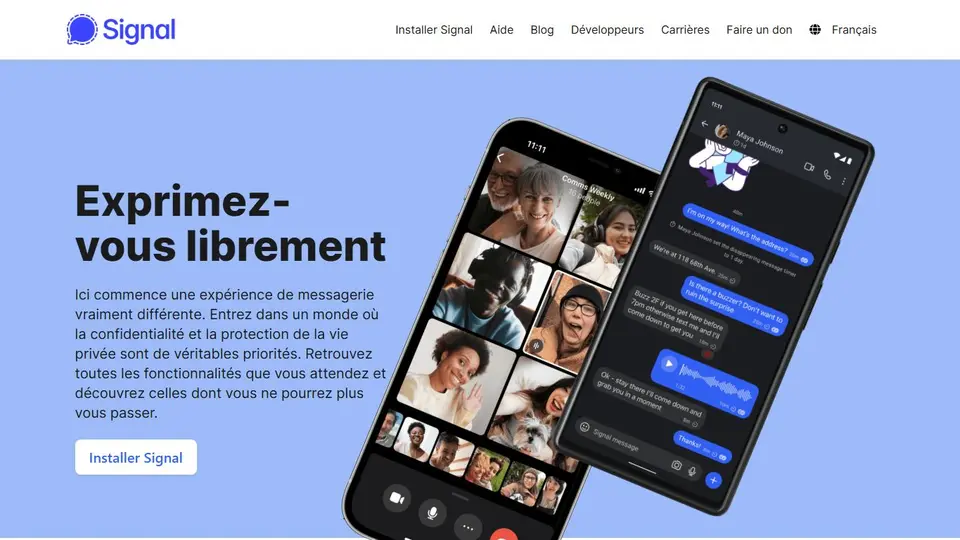
Screenshot captured on an unrecorded date. The current website may have changed.
Verify a conversation recipient
Check the contact or group and linked devices before sharing a sensitive document.
Check first: Encryption does not control screenshots, forwarding or recipients’ devices.

Compare this resource with other directory records →
Recognize devices associated with the account
- Primary device
- Inspect the linked-device list.
- New link
- Review transfer choices.
- Open the linked-device list on the primary device.
- Match each entry with a device you recognize.
- Read transfer choices before linking a new device.
Fictional example: Mael prepares to use Signal on a new computer. He first checks the list on his phone and distinguishes the old computer from the new one. He records recognized devices without copying conversations into his notebook.
Your useful record: Recognized devices and consultation date, without message contents.
A linked-device list is not a conversation backup.
Editorial method informed by Signal Support — Linked devices. Documentation consulted on . Examples are fictional exercises, not results from a live service test.
Distinguish communication protection from the recipient
Signal describes messaging with end-to-end encryption of messages and calls. This technical protection does not prove a correspondent’s real identity or prevent them from keeping or sharing received content.
- Communication
- Messages and calls protected by end-to-end encryption.
- Correspondent
- Confirm identity through a known channel.
- Documents
- Limit the data sent to what the exchange requires.
- Linked devices
- The linked-device list is available in the primary device’s settings. To understand where your account is used, examine this list and device names; the application being installed on a computer does not identify the account linked to it.
- Prepare a change
- Before reinstalling or replacing a device, consult current linking and transfer instructions. Linking a device, synchronising history and making a backup are separate operations; do not assume that one covers every recovery need.
- Linked-device inventory
- The list is available on the primary device under Linked devices.
Source: Signal Support — Linked devices · consulted on - Linking and initial transfer
- The transfer offered during linking is a separate choice to inspect.
Source: Signal Support — Linked devices · consulted on
Does encryption prevent a recipient from showing a message?
No. Received content remains accessible to the recipient, who can copy or share it.
Initial profile documentation
- Distinguer protection des échanges et destinataire / Distinguish communication protection from the recipient ↗
- Signal — Appareils associés ↗
Initial profile documentation consulted on . Added details carry their own source and consultation date above.
Editorial selection, without website certification. Read our method.