

OBS Studio
Free software for recording and live streaming video, with configuration guides.
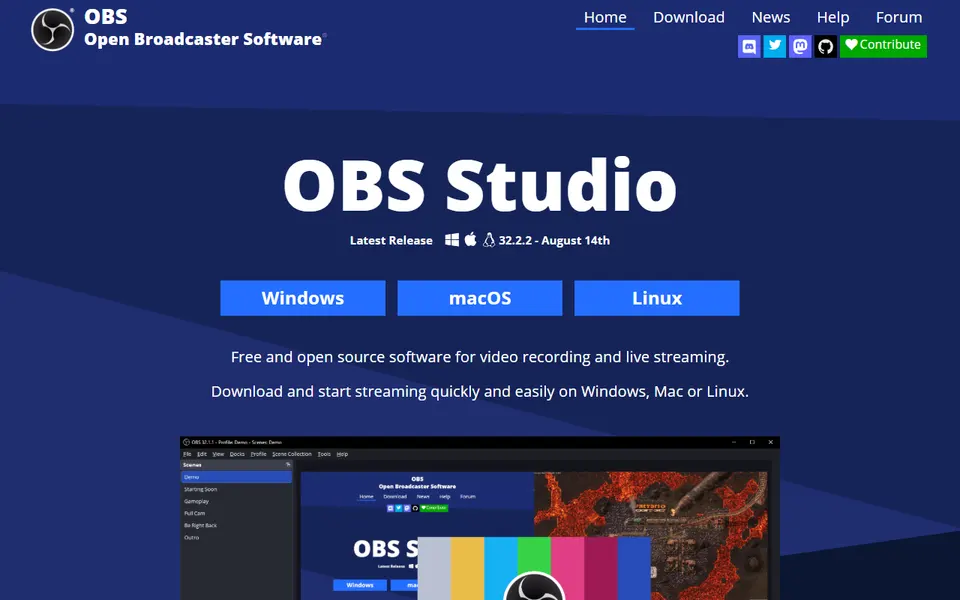
Screenshot captured on 2026-09-22. The current website may have changed.
Prepare a screen recording
Choose sources and record a short trial before an important session.
Check first: Inspect sound, resolution and private information in the exported recording.
Compare this resource with other directory records →
Prepare a short capture before a long session
- Output folder
- Find the recording.
- Remux
- Prepare a container suitable for editing.
- Check the output folder and recording format.
- Make a short capture and inspect picture and sound.
- Consult Remux Recordings if editing requires another container.
Fictional example: a trainer prepares a demonstration. A short capture reveals a missing microphone before the whole session is recorded. The trainer corrects the input choice and tries again; a video file alone did not confirm the sound.
Your useful record: Chosen folder, format and result of the short audiovisual check.
A recommended format does not remove the need to inspect the result.
Editorial method informed by OBS Studio — Standard recording output. Documentation consulted on . Examples are fictional exercises, not results from a live service test.
Test sources before recording or streaming
OBS Studio composes scenes from sources such as displays, windows, cameras and audio. Start with a small scene and a short test recording. Check framing and sound in that file before adding sources or starting a broadcast.
- Scene
- Composition of sources to display.
- Sources
- Configured video, windows and audio.
- Test
- Short recording reviewed before the session.
- Tracks and playback
- OBS can record sources onto multiple audio tracks. An ordinary player may play only one at a time: a missing voice during playback does not alone establish that it is absent from every track in the file.
- Delivery and editing
- Prepare a mixed track for playback and, if needed, separate tracks for editing. Check the file in the recipient’s tool; moving meters during capture do not verify that delivery.
- Recording destination
- Recording Path sets the folder for recorded files.
Source: OBS Studio — Standard recording output · consulted on - Recording then remuxing
- OBS documents MKV recording and container conversion through Remux Recordings.
Source: OBS Studio — Standard recording output · consulted on
Does the preview fully check the sound?
Also listen to a test recording and inspect the required tracks.
What should I check before capturing a screen?
Framing, selected window and visible information; close anything you do not intend to record.
Initial profile documentation
- Documentation officielle · Official documentation ↗
- OBS — Enregistrement sur plusieurs pistes audio ↗
Initial profile documentation consulted on . Added details carry their own source and consultation date above.
Editorial selection, without website certification. Read our method.