
Find an archived version of a web page
Use the original URL and a dated capture, then state what the archive did and did not preserve.
Follow the method ↓
The answer in 30 seconds
An archive capture can show part of a page at a previous time. It may miss images, scripts, linked pages or changes between captures, and its capture date is not automatically the original publication date.
Enter the original URL in the Wayback Machine, select a relevant dated capture, inspect the visible content and save both the archived and original URLs with a note about missing material.
Examples to adapt
Compare a capture before and after the suspected edit, then note gaps in capture dates.
Search the exact former URL rather than only the website home page.
Record the capture date and the page's own stated publication date separately.
Follow the method
- 1Recover the URL
Find the most precise original address available in a citation, bookmark or search result.
- 2Choose a capture
Search the archive and select a date relevant to the question.
- 3Inspect completeness
Check the text, images and linked documents needed for your claim.
- 4Document limits
Save archive and original URLs, capture date and any missing or uncertain elements.
An archived capture does not date every event on the page
Event, publication, capture and access dates do not describe the same moment. Keep these four references separate when citing an archived page.
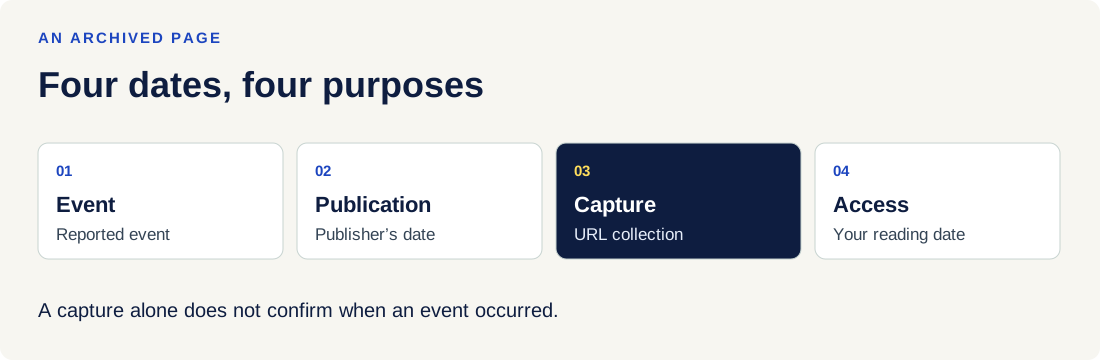
| Element | Meaning |
|---|---|
| Event date | Date of the reported or planned event. Leave it unknown if the text and its sources do not establish it. |
| Publication or update | Date displayed by the publisher. It does not automatically date events or collection by the archive. |
| URL capture | The Wayback toolbar dates the displayed capture for this address. Each page you follow can have a different date. |
| Access | Your own reading date, kept with the original URL and the link to the capture you used. |
| Images and links | Elements may be missing. A link can lead to a capture from a different date, or the live Web if the page was not archived. |
| No capture | This does not establish that a document never existed: protected access, missing collection or exclusions can explain it. |
Try the reasoning
Illustrative situation. Fictional example: an article dated the 3rd is captured on the 8th and you consult it on the 20th. Which date establishes when the event occurred?
Read the explanation
None of these dates alone dates the event. Find the event date and its source in the text. To cite the version, retain the original URL, Wayback link, capture date and your access date.
Documentation for the table : Internet Archive — Using the Wayback Machine · . The exercise is an editorial example.
A checklist to keep
Use these checks to record what you found. The grid supports a decision; it does not make one for you.
| Check | What to examine | Action |
|---|---|---|
| Original URL | Is it precise enough? | Find |
| Capture | What date was recorded? | Choose |
| Text | Is the relevant passage visible? | Inspect |
| Missing | What media or links are absent? | Note |
| Citation | Are both URLs and dates kept? | Record |
Read the checklist directly in the table.
What to check
Absence from the archive does not prove a page never existed.
A capture date does not establish when its text was first published.
Dynamic elements may be missing or behave differently in a capture.
Common questions
Can I use an archive as proof of today's policy?
No. Check the current official source for a present-day requirement.
Why do links inside a capture fail?
Linked pages or scripts may not have been archived with the page you opened.
Sources and documentation
Documentation consulted on . Examples are illustrative; interfaces and results may change.